Until now, every
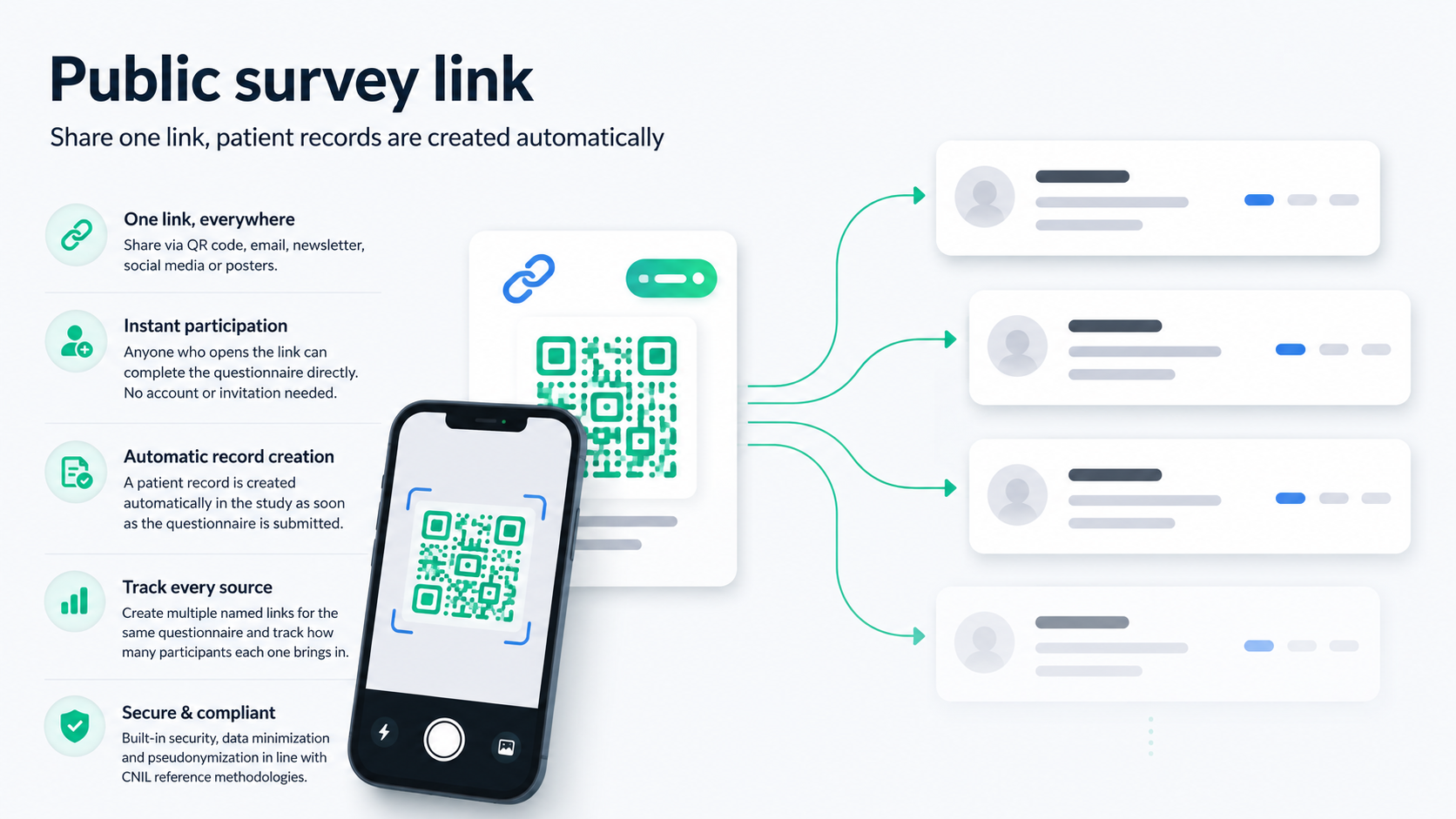
ePRO questionnaire assumed a patient record already created in EasyMedStat and an invitation sent individually by email. That covers the follow-up of an established cohort well, but not open recruitment: a QR code displayed at a conference, a poster in a waiting room, a link relayed in a newsletter or on social media.
4.9 introduces a new
Public link tab in the questionnaire configuration, between scheduling and emails. There you create a link that anyone can open to answer, with the patient record created automatically in the series.
- Several independent links per questionnaire, each with its own name, its own permanent URL and its own count of included patients. You can therefore create one link per channel, poster, conference, newsletter, and follow separately what each one brings in.
- The patient record is created as soon as the questionnaire starts, not on final submission. An interrupted response is therefore never lost: it relies on the save and resume mechanism already in place in the
eCRF.
- An identity screen is shown only if your series requires it. The respondent fills in exactly the fields configured in your identity variable (first name, last name, birth date, email, gender) and nothing else. Death date and last follow-up date are never requested; the inclusion date is set automatically when the record is created. The screen is translated into the respondent’s language.
- The origin of the record stays visible. The patient header shows a link icon followed by the name of the link through which they entered the study. A record created through a standard invitation shows no badge.
- A link can be deactivated and reactivated at any time. Deactivation takes effect immediately for any new opening, without affecting records already created, and remains reversible.
- The generic consent message and its checkbox, identical to those of every other EasyMedStat questionnaire, apply unchanged.
- Public links
coexist with individual invitations on the same questionnaire. There is no exclusive mode to choose.
The feature is included in the standard
e-PRO plan, with no additional tier and no dedicated permission. Each link is protected by server-side rate limits, which block bulk or automated requests.
One limit should be known before sharing a link:
there is no automatic deduplication. Every opening of the link creates a separate record, including when the same respondent refreshes the page or answers twice. This is a deliberate choice, email addresses are not stored in clear text on the pseudonymisation side, which makes automatic matching impossible without weakening data protection. We would rather live with that constraint than offer approximate deduplication. So plan for a duplicate check on receipt, as you would for any open collection.
This first version does not yet offer default values per link, an expiry date, API access or a per-link filter in the patient list. In a multicentric series, the Site variable is left unanswered unless you explicitly add it as a question in the questionnaire.