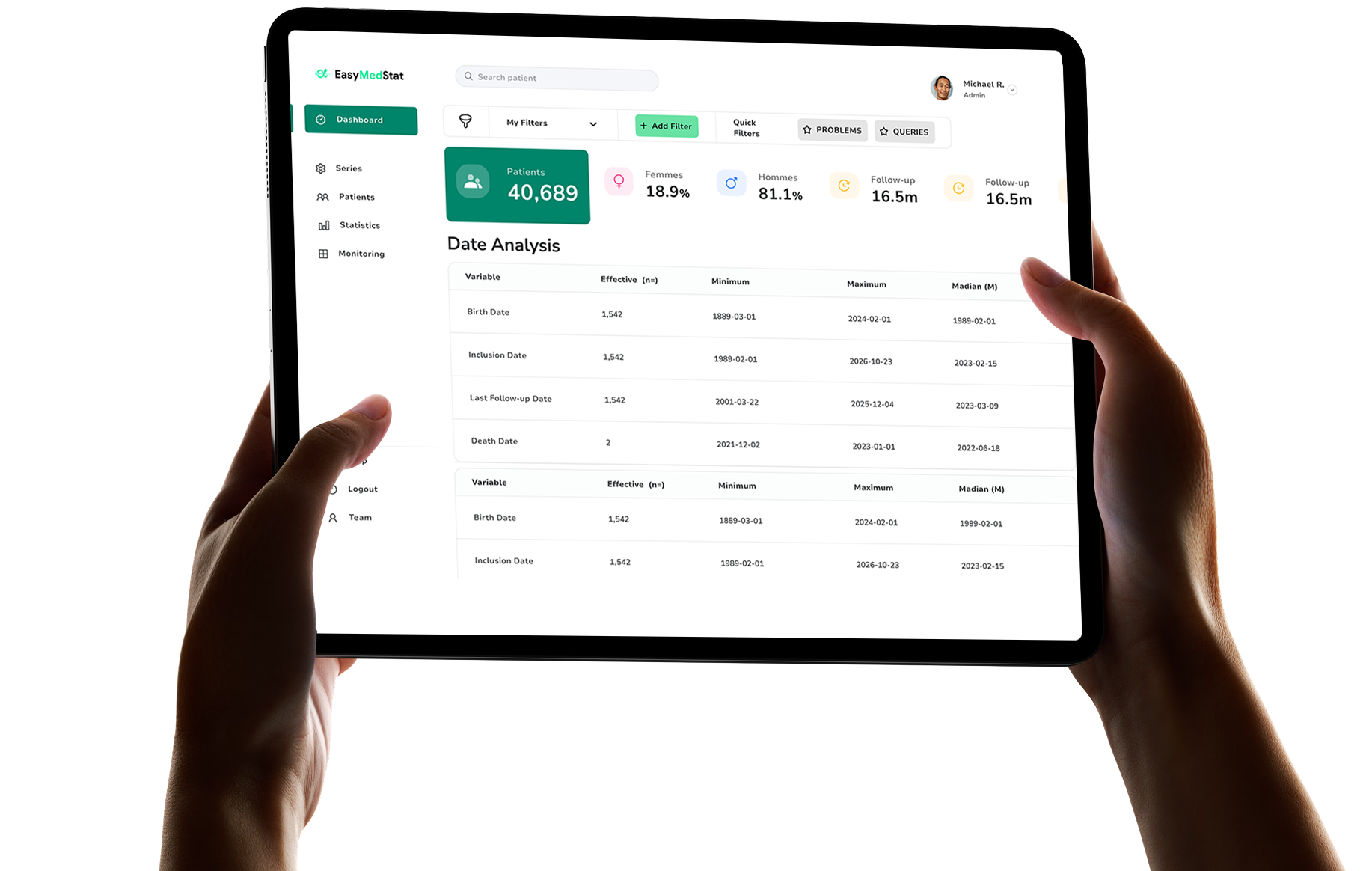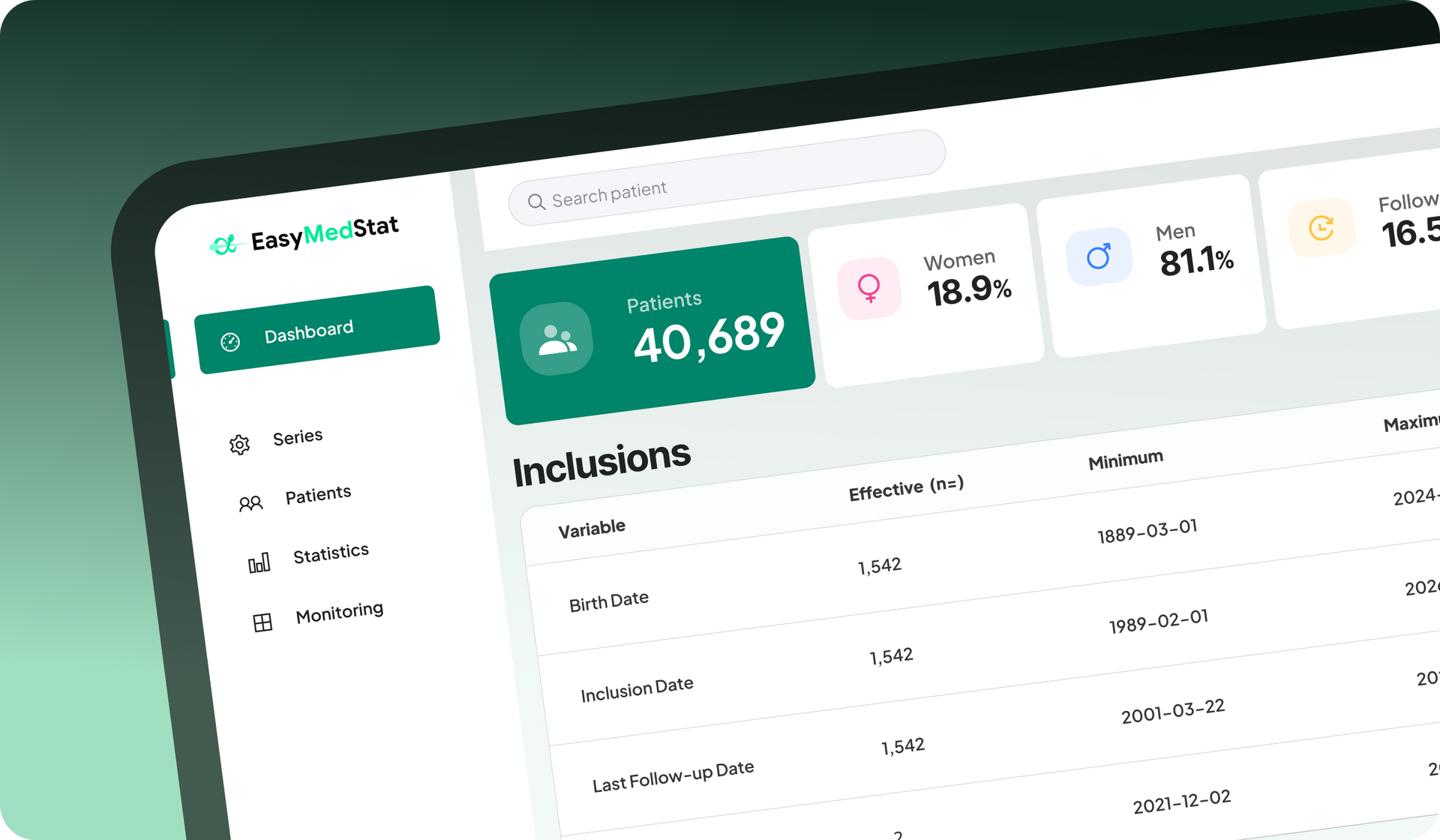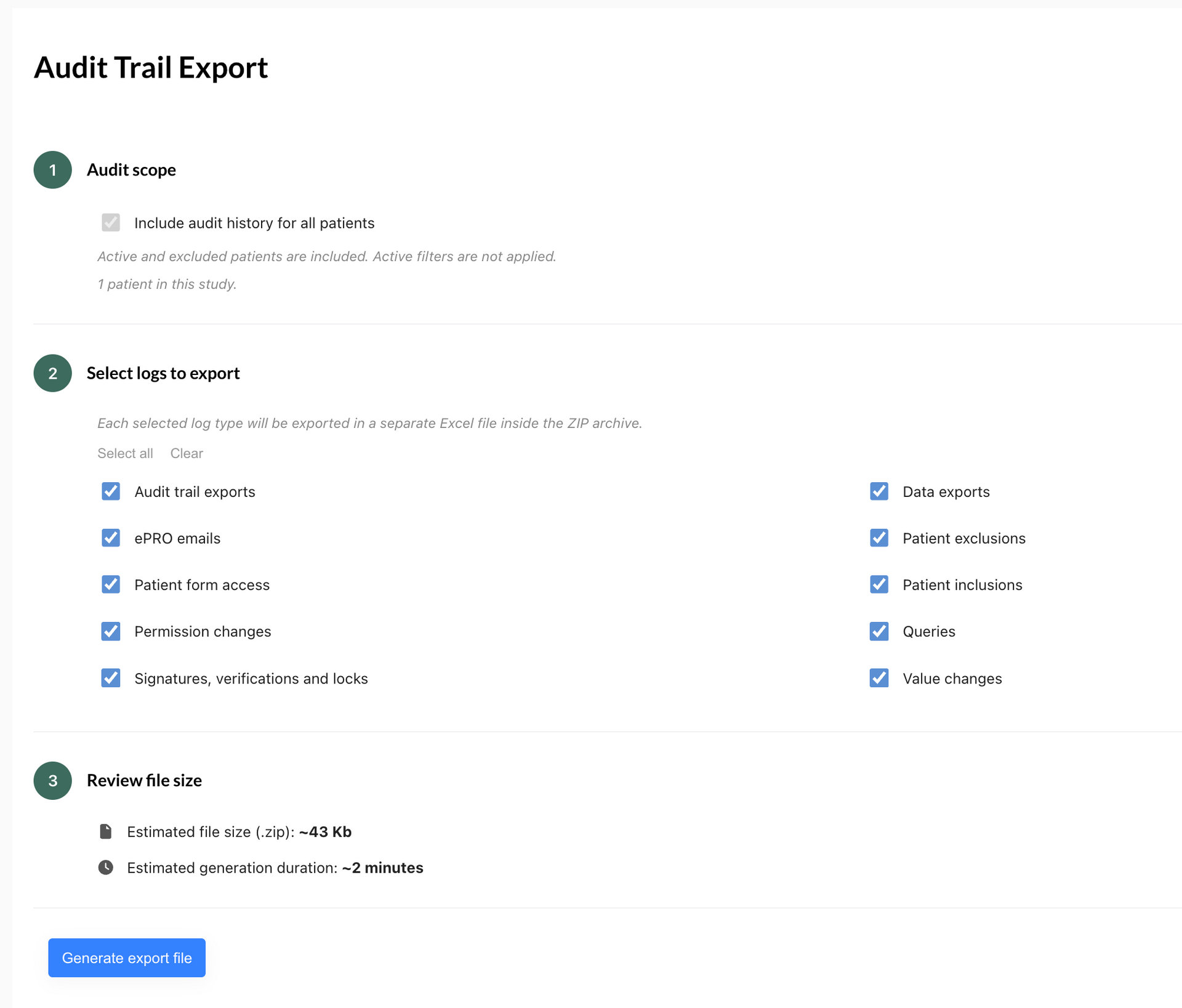
Discover the new version of EasyMedStat 4.10: export Audit Trail logs to Excel for offline review and benefit from three fixes to ePRO questionnaires.

Discover the key criteria for choosing the right EDC software and learn why EasyMedStat stands out as the powerful solution for clinical data management.

Learn how to choose the right EDC/eCRF software for a clinical trial based on study requirements, data quality, monitoring, setup, and analysis with EasyMedStat.

Learn how to design an eCRF for a PMCF clinical trial, from endpoints and variables to data quality, validation rules and long-term patient follow-up.

Learn what PMCF is, when PMCF clinical trials may be needed, what clinical data to collect, and how to organize data collection under the EU MDR.

Discover EasyMedStat 4.9: public links for ePRO questionnaires, automatic patient record creation, and a redesigned questionnaire list.

EasyMedStat 4.8 introduces file and image collection in the eCRF, one-click patient table export to Excel, and custom logo on PDF documents.

Explore ePRO software for clinical trials: patient-reported data collection, key features, regulatory requirements, and how to choose a solution.

Learn what EDC software is, how it works in clinical trials, its key features and regulatory requirements, and how to choose the right EDC platform.

Discover what an eCRF is, how it differs from an EDC, its key features, regulatory requirements (GCP, FDA 21 CFR Part 11, GDPR), and how to choose one.
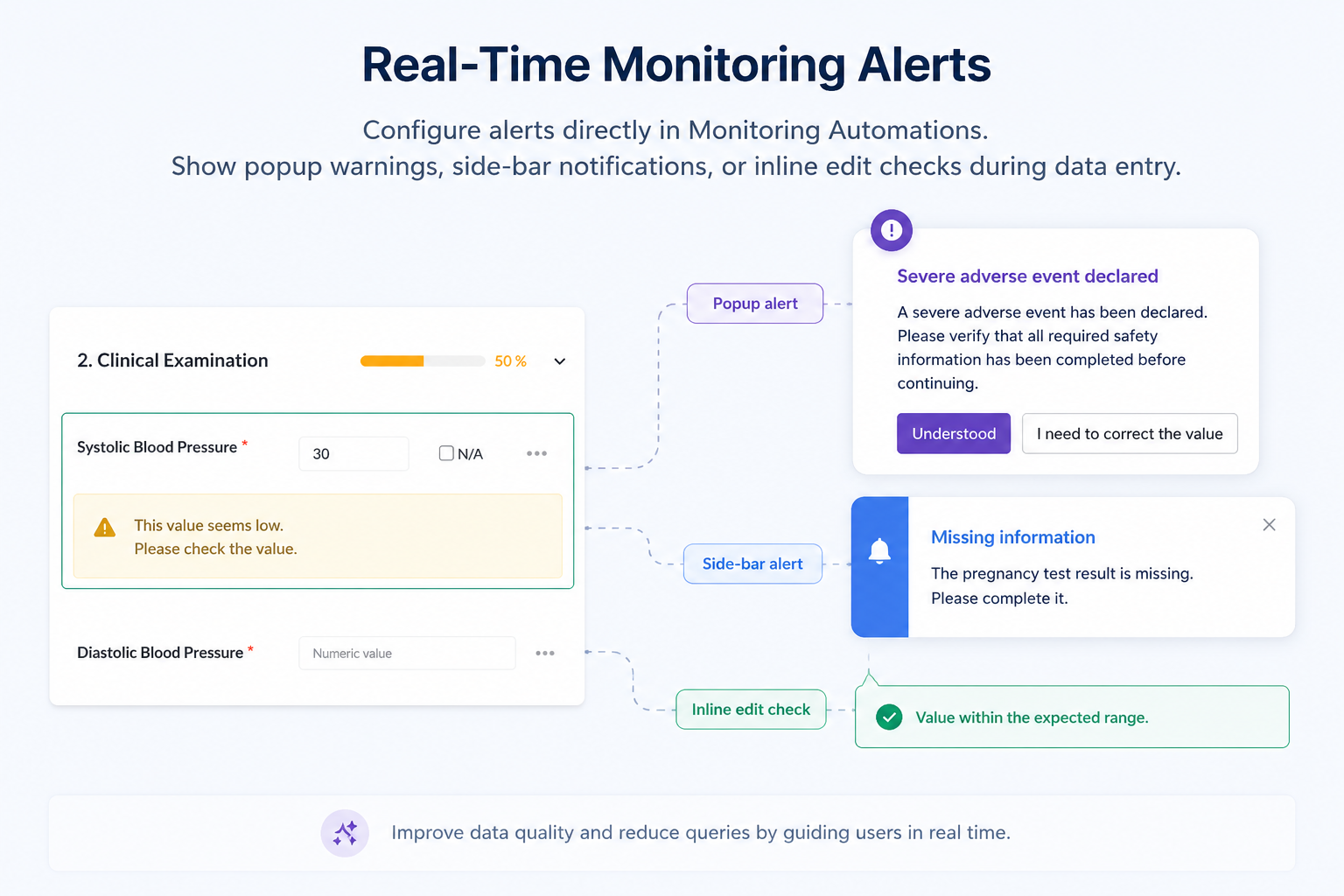
Discover EasyMedStat's Real Time Alerts: smart, customizable checks that catch data errors instantly and improve clinical trial data quality.
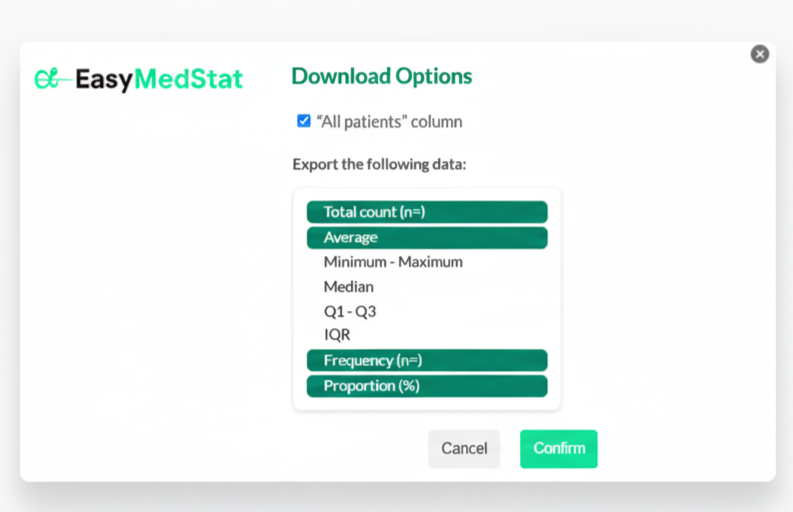
Perform statistical analyses more efficiently
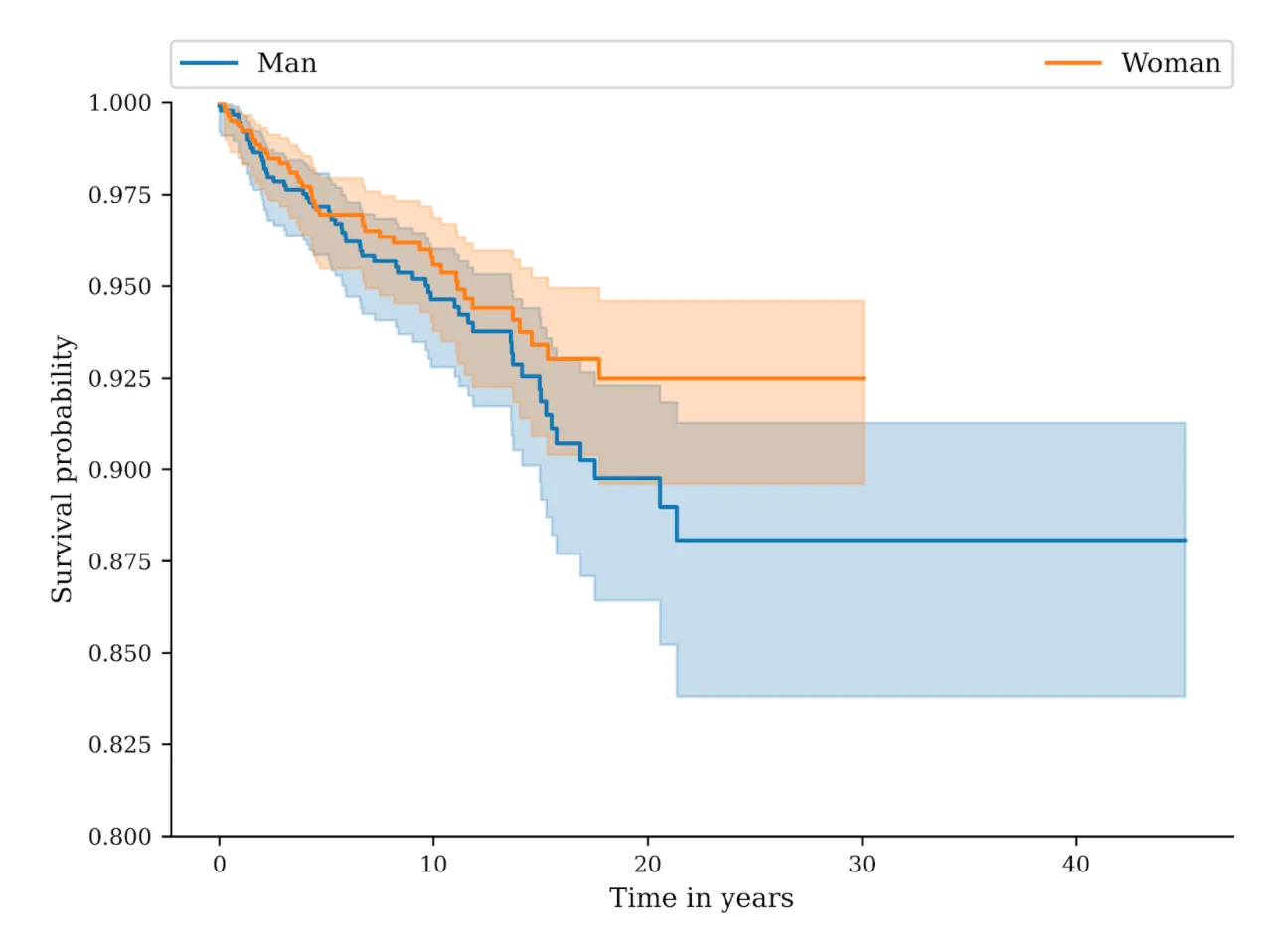
New on EasyMedStat: competing risks in survival analysis with the Aalen–Johansen method and Gray’s test. Compare your groups with customizable exports.

Discover EasyMedStat 4, the latest version that transforms clinical monitoring by centralizing patient management and simplifying data monitoring.

We are excited to introduce version 3.40 of EasyMedStat, bringing two major improvements to streamline electronic patient-reported outcomes (ePRO) and enhance the patient experience.
sign, verify and lock your data with easymedstat
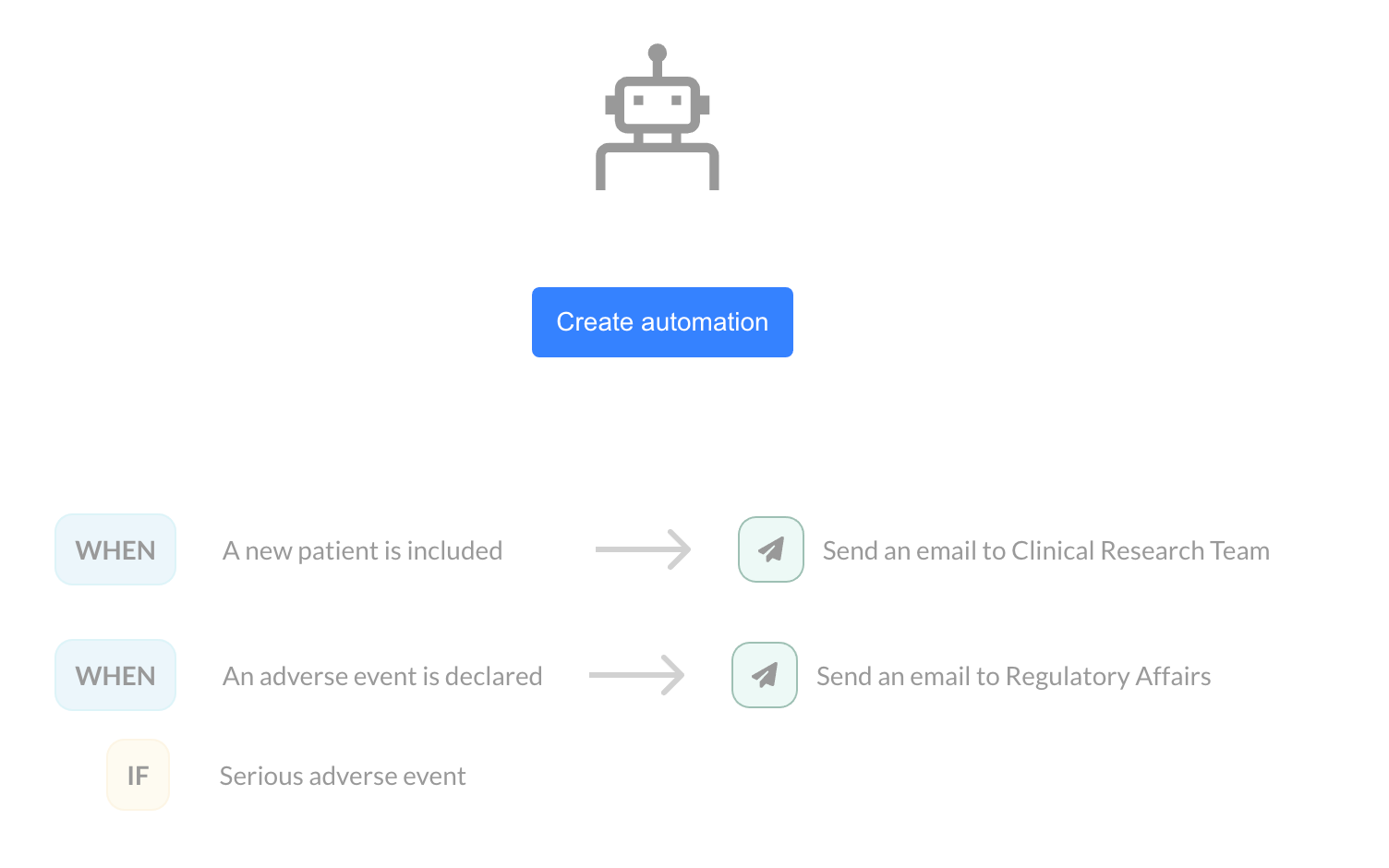
automate your notifications, monitoring
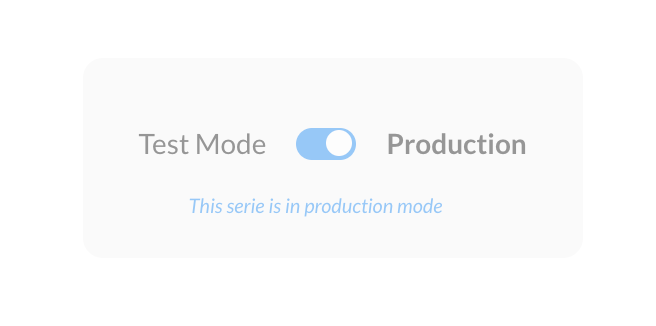
New Features in EasyMedStat: Custom Record ID (CRID) and Test/Production Modes [Product Update 3.36]
New easymedstat update: test production and custom record id
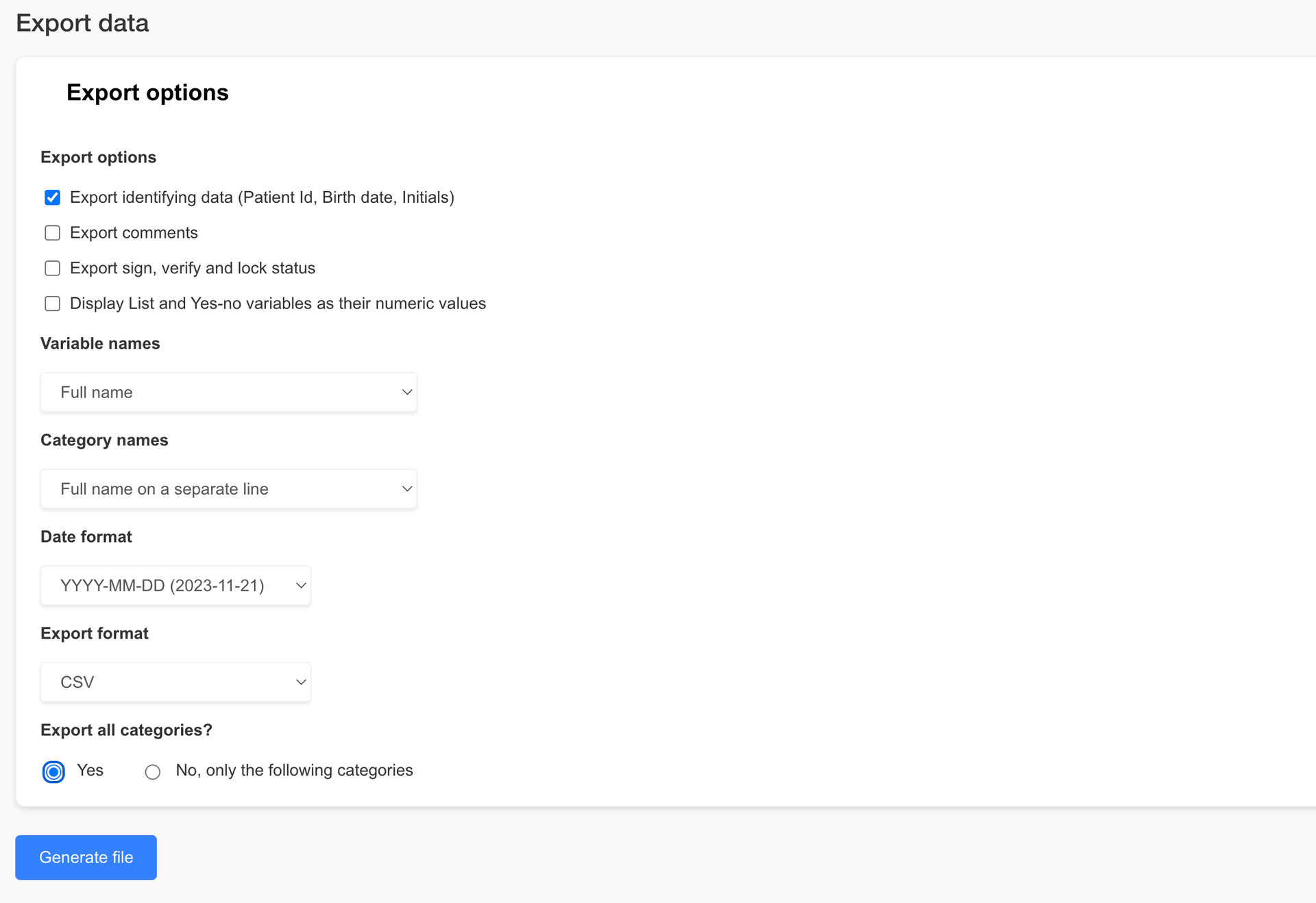
We are excited to announce the latest version of EasyMedStat, packed with new features and improvements designed to make your clinical research processes smoother and more efficient. This update brings big enhancements to our data export capabilities, collaboration tools, category management, and eCRF viewing options. Let's dive into what's new and how these features can benefit you and your team. Revamped Export Data Page Exporting data is now easier and more versatile than ever. Check out the new features on our revamped Export Data page: - Enhanced Export Options: Whether you need the entire dataset or just a specific part, our new options allow you to export exactly what you need. This helps keep file sizes manageable and your data focused. - Excel Format Export: You asked, and we listened! You can now export your data in Excel format (.xlsx), making it super easy to work with in your favorite spreadsheet software. - Pseudonymization: Protect patient privacy by exporting pseudonymized data. It's a great way to ensure data security while still getting the insights you need. - R-Compatible Exports: If you use statistical software like R, you'll love our new export options. Now you can export coded values and variable names without spaces or special characters, making data import into R a breeze. Share with Collaborators Page Update Collaborating with your team just got simpler with our updated Share with Collaborators page:Select All Option: Need to assign permissions to a collaborator quickly? The new "Select All" option lets you do just that, saving you time and hassle. Revamped Category Picker Managing categories is now more intuitive thanks to our revamped Category Picker: - Hierarchical Display: Easily navigate through categories with a clear, expandable tree structure. - Select All and Search Functionality: Quickly select all categories or find specific ones using the search bar. Real-time filtering and a selection count display make managing categories a snap. Enhanced Viewing Capabilities for Users with "View Patient" Permission We’ve boosted the viewing capabilities for users with "View patient" permission to enhance monitoring and data access: - View and Download Files and Pictures: Users with "View patient" permission can now see and download pictures and files directly from eCRF v2. -Streamlined Interface for Non-Editors: For users without "Edit patient" permission, we’ve streamlined the interface by removing editing options while keeping full viewing functionality. Conclusion These nifty new features and improvements are designed to make EasyMedStat more powerful and user-friendly. We’re confident these updates will help you collect, analyze, and share your data more efficiently and securely. We can’t wait to see how you use these tools to advance your research and improve patient outcomes. Stay tuned for more updates, and as always, we love hearing your feedback. Thanks for choosing EasyMedStat as your go-to platform for clinical research!
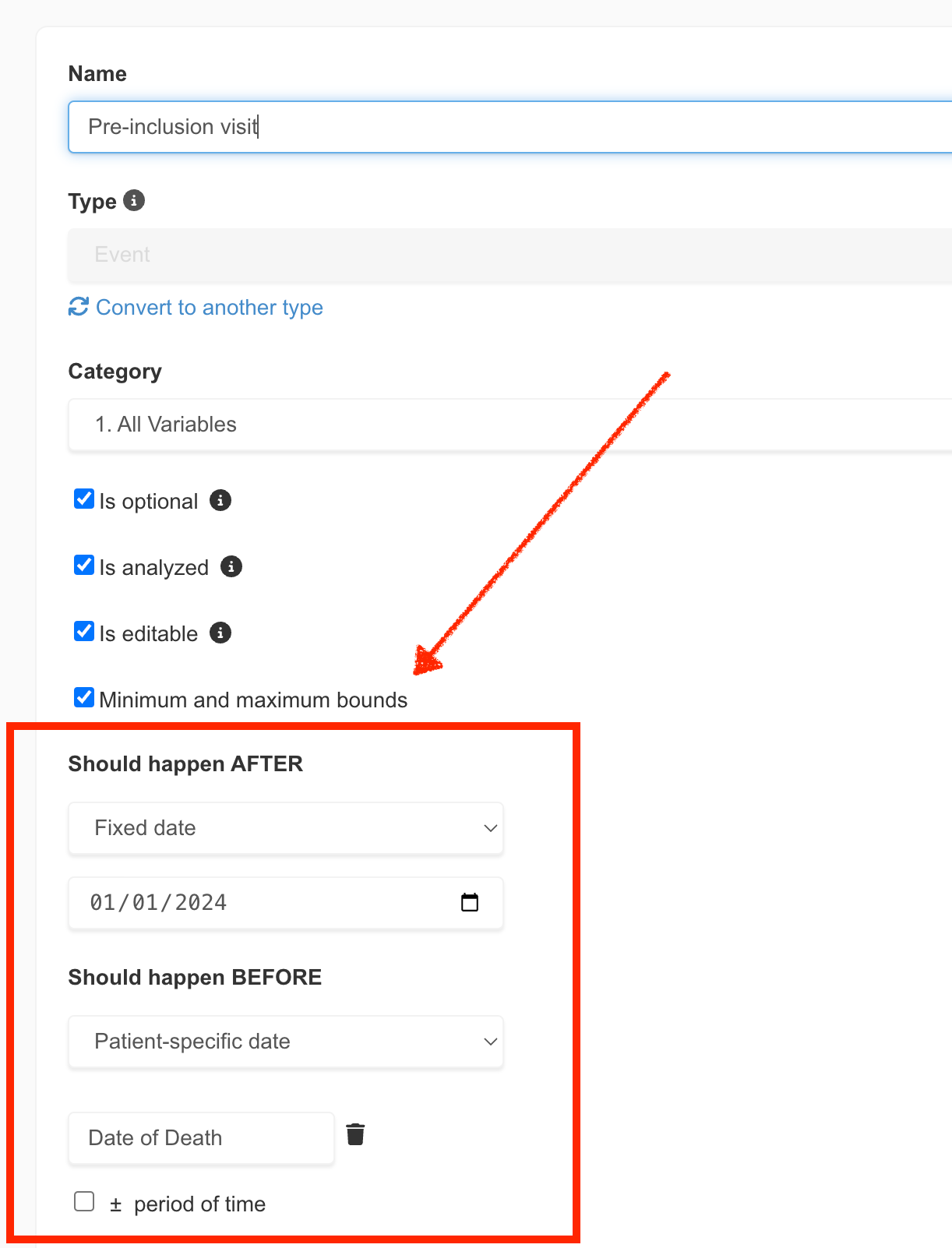
In the realm of clinical research, precision is not just a goal; it's a necessity. Recognizing this, EasyMedStat is excited to unveil a groundbreaking feature that marks a significant leap forward in data management and quality control: Event Bounds. This new addition is designed to streamline the data entry process, enhance accuracy, and reduce the time spent on data monitoring. Let's dive into what Event Bounds entail and how they promise to transform clinical data management. What are Event Bounds? Event Bounds are a novel feature that allows users to set minimum and maximum date limits for Event variables within Electronic Case Report Forms (eCRFs). This functionality extends beyond the static boundaries applied to Numeric variables, offering both static (fixed dates) and dynamic (patient-specific dates) bounds. Dynamic bounds are particularly innovative, as they adjust based on the values of other Event variables, providing a tailored and flexible approach to data entry.
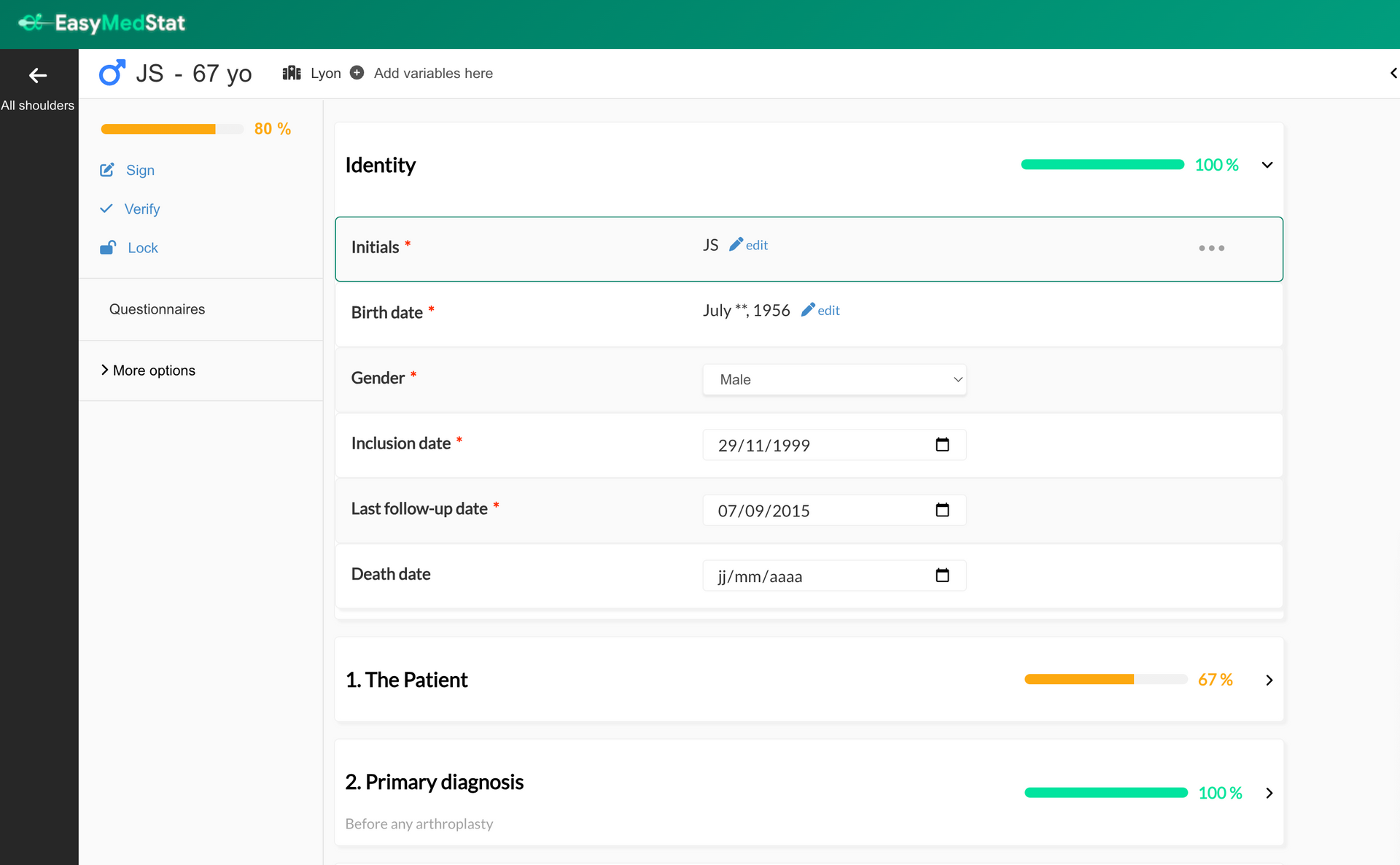
We are excited to present our latest achievement: an enhanced version of our eCRF tool that redefines how you collect and manage clinical data. These notable improvements are designed to provide an even more intuitive, intelligent, and efficient experience for our users.

We are thrilled to announce the release of our latest feature: Propensity Score Matching (PSM). This groundbreaking tool revolutionizes the field of clinical research by empowering researchers to enhance the quality and comparability of their studies. In this blog post, we will delve into the significance of PSM, its relevance in clinical research, and how to access this game-changing feature on EasyMedStat. The First Propensity Score Matching Guided Tool for Clinical Research We are proud to be the pioneers in introducing a guided tool for propensity score matching in the realm of clinical research. Our team of experts has developed a robust algorithm that facilitates the identification and pairing of subjects based on key characteristics, ensuring a more balanced and rigorous comparative analysis. With our PSM Guided Tool, researchers can now conduct propensity score matching analyses with confidence , knowing that the tool automates the critical checks for the required assumptions . These include ensuring the appropriate number of covariates, assessing group comparability, validating the common support assumption, and more. By streamlining and automating these crucial steps, we empower researchers to focus on their analysis and interpretation, knowing that the tool has their back. What is PSM? And Why Does It Matter? Propensity Score Matching (PSM) is a statistical technique used to control for potential confounding variables in non-randomized studies . It aims to create comparable groups by balancing the distribution of covariates between treatment and control groups. By doing so, PSM helps minimize the impact of confounding factors, thereby improving the internal validity of the study and strengthening the evidence obtained. PSM matters because it allows researchers to address the inherent limitations of non-randomized studies . It enables researchers to account for differences in patient characteristics and minimize bias, leading to more reliable and meaningful results. How to Perform a Propensity Score Matching? To access the propensity score matching feature on EasyMedStat, follow these simple steps: Navigate to the menu "Statistics" and Click on "Compare groups" to initiate the comparative analysis. Choose the groups you want to compare Click on "Match groups to improve comparability." Select the covariates you want to base the matching on, ensuring they are relevant to your research question. Verify the methodology with our built-in methodology tool, which provides transparency and ensures the accuracy of the matching process. With EasyMedStat's user-friendly interface and step-by-step guidance, researchers can seamlessly incorporate propensity score matching into their study design, ultimately enhancing the reliability and validity of their findings. Propensity Score Matching (PSM) is a powerful tool that significantly contributes to the advancement of clinical research. EasyMedStat's guided PSM feature empowers researchers to tackle the challenges of non-randomized studies and improve the quality of their research. By leveraging the benefits of PSM, researchers can obtain more robust and reliable results, leading to better-informed medical decisions and improved patient care. Unlock the potential of Propensity Score Matching with EasyMedStat and take your clinical research to new heights!

During a clinical investigation on a medical device, it is crucial to select the appropriate clinical scores to accurately assess its effectiveness. Clinical scores provide quantifiable and standardized measurements, enabling an objective evaluation of clinical outcomes. In this article, we explore the different steps to choose the suitable clinical scores for your clinical investigation on medical devices. Analyze the Scientific Literature A fundamental step in selecting the appropriate clinical scores is to conduct an in-depth analysis of the existing scientific literature. This analysis helps discover validated clinical scores used in previous studies on similar medical devices. By relying on the accumulated knowledge and expertise in the field, one can ensure the relevance of the selected clinical scores. Consult Your Investigators! Working closely with investigators ensures that the chosen clinical scores align with the needs of the clinical investigation. Their expertise and practical experience are invaluable in selecting the most appropriate clinical scores based on the medical device and study context. Another advantage of co-constructing the observation form with investigators is that they are often familiar with certain clinical scores used in their daily medical practice. Hence, they can more easily collect the same scores for your clinical investigations. Limit the Number of Scores to the Minimum It is essential to limit the number of clinical scores in the observation form. By avoiding information overload, data collection and statistical analysis are simplified. Typically, one to two relevant clinical scores are sufficient to evaluate the effectiveness of a medical device. By focusing on the most significant and directly related measures to the study's objective, clearer and more actionable data are obtained. Patient-Reported Outcome Measures (PROMs) Patient-reported outcome measures, or PROMs, are valuable tools for gathering data directly from patients. They provide information about their health status, symptoms, and quality of life. However, it is important to consider the potential fatigue associated with repeated completion of these questionnaires , especially if using redundant questionnaires or sending them at a high frequency. To minimize fatigue, it is necessary to use concise and targeted patient questionnaires, avoiding redundant or irrelevant information. A well-designed questionnaire encourages patient participation and ensures more comprehensive data. Choose the Questionnaire Requiring Fewer Responses in Case of Equivalence When faced with two highly correlated questionnaires, it is advisable to choose the one that requires fewer responses from patients or investigators. This simplifies data collection, encourages patient and investigator participation, and reduces monitoring efforts. By ensuring simplicity and user-friendliness in questionnaires, more complete and higher-quality data are obtained. The Importance of Subscales in Clinical Scores Some clinical scores include specific subscales that evaluate particular aspects of a medical device's effectiveness. For example, a functional score may provide subscores evaluating pain, mobility, or daily activities. A quality of life questionnaire may provide subscores on the mental health of patients. These subscales provide detailed and in-depth information on specific domains. Including these relevant subscales allows for a more comprehensive evaluation of the impact of the medical device. Conclusion Choosing the right clinical scores is crucial for a successful clinical investigation. By following the outlined steps, including analyzing scientific literature, consulting investigators, limiting the number of scores, and considering patient questionnaires and subscales, high-quality data can be obtained to assess the performance of your medical device. Close collaboration with investigators and attention to patient questionnaires and subscales contribute to a precise and comprehensive evaluation of the effectiveness of medical devices.

Why can a CRF template be relevant for your clinical investigation?
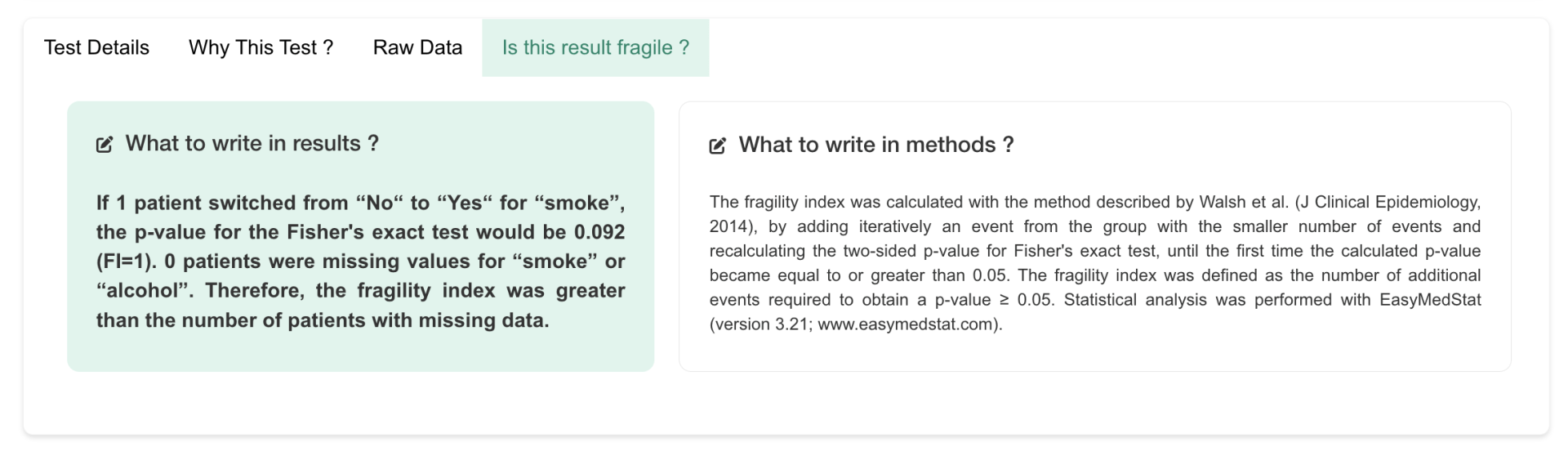
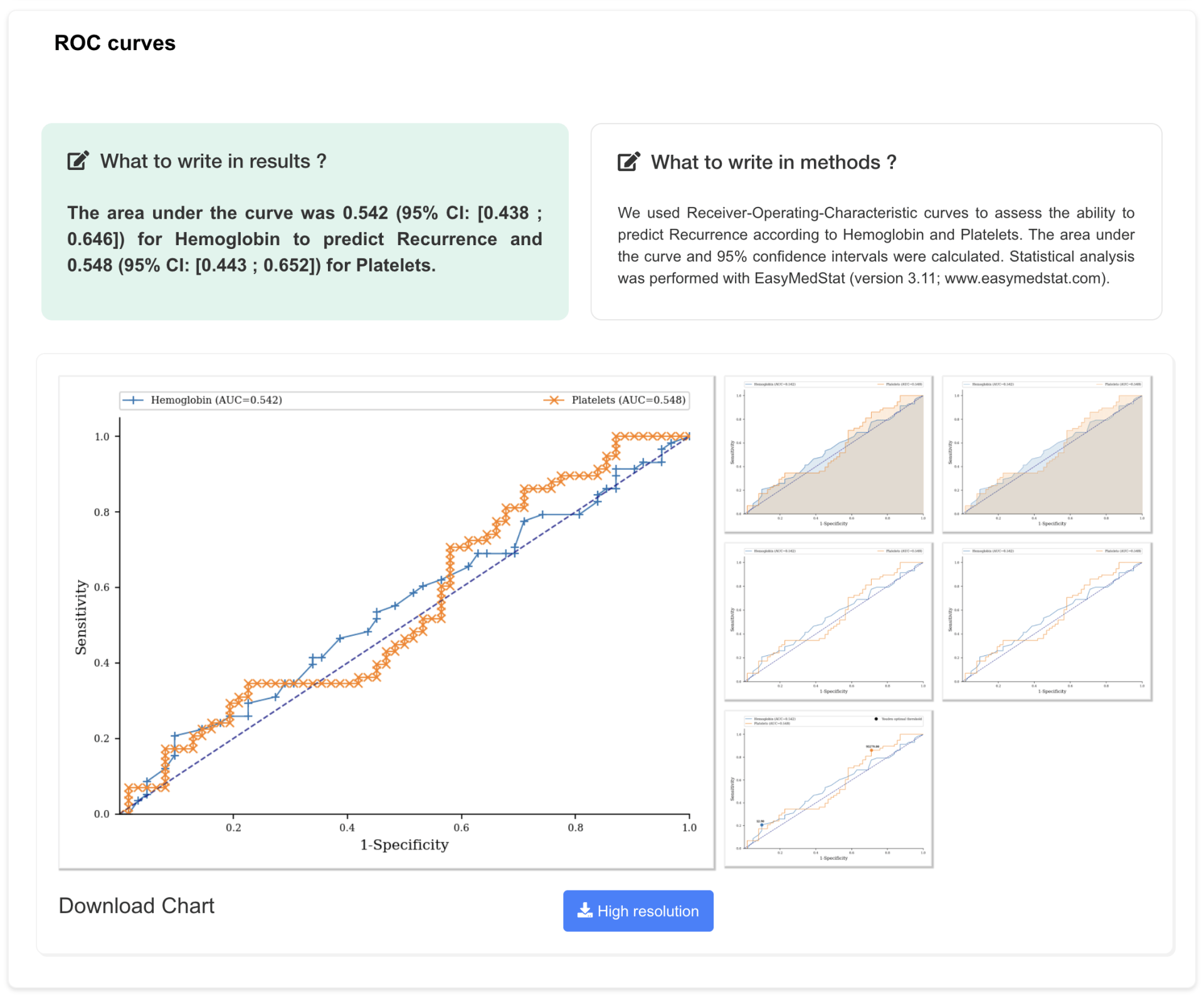
Like you, we are always happy when we can validate the hypothesis of our clinical study by obtaining a p-value < 0.05 on our main hypothesis. But is this result robust? Could the fate of a single patient modify the p-value and cause it to pass beyond the sacrosanct threshold of “significance”? You will now be able to answer this question very easily thanks to EasyMedStat. We also have new features on the ROC curves side. Read on carefully to find out more…

Connect your information system or medical device to EasyMedStat with the API.

New on EMS: Data Cleaner, a tool to clean your data before statistical analysis. Clean data for a more accurate analysis. [Product Update 3.20]

Enrich your patient data with our new e-PRO functionality!

Thanks to EasyMedStat the next version of SciPy will ship with a faster Wilcoxon signed-rank exact test.
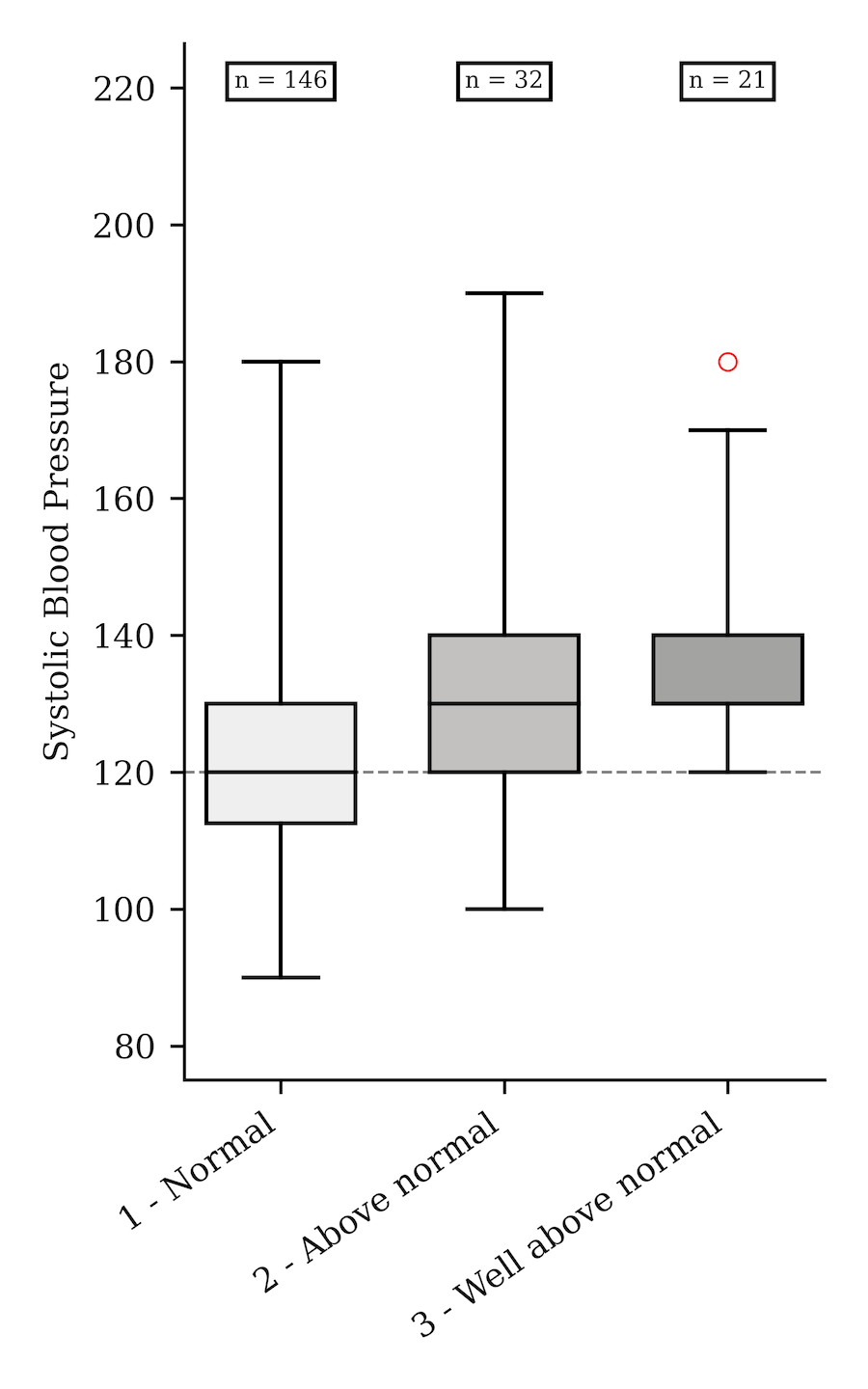
Just two weeks ago we released version 3.14 which improved the e-CRF . Today, make way for new statistical features! Two types of analyzes were particularly requested and have been added to the long list of statistical tests that can be performed with EasyMedStat: Inter-observer and intra-observer analyzes for numerical variables Post-hoc tests when comparing more than two groups Let's take a look at these new features and how to use them.
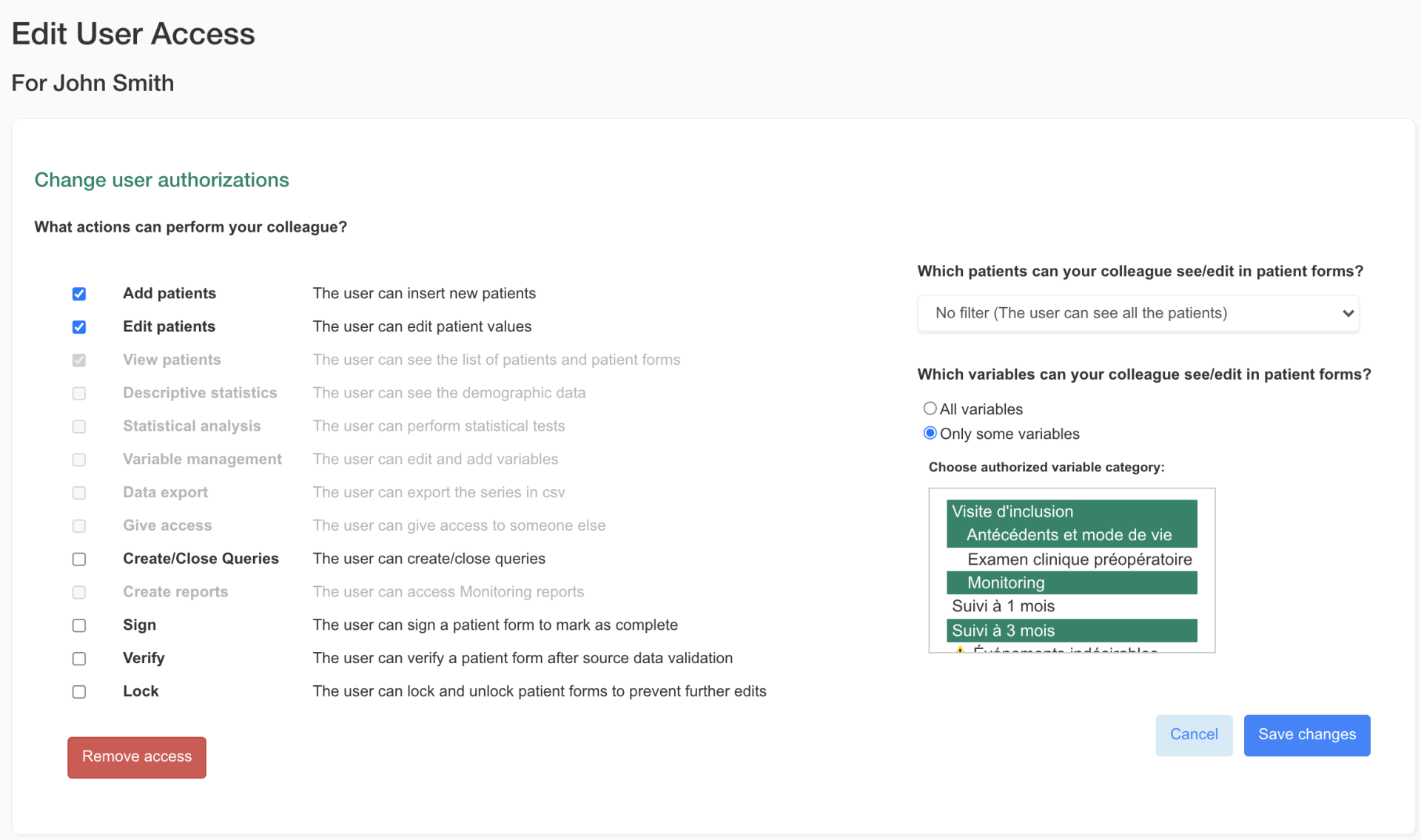
The new version of the application allows you to refine the rights that you share with your collaborators within the e-CRF for better protection of patient data. You can now for each user: Define specific read and/or write rights on patient files (“View” and “Edit” permissions) Authorize or not the inclusion of new patients (“Add” permission) Define the categories of variables to which a user has access in the patient file
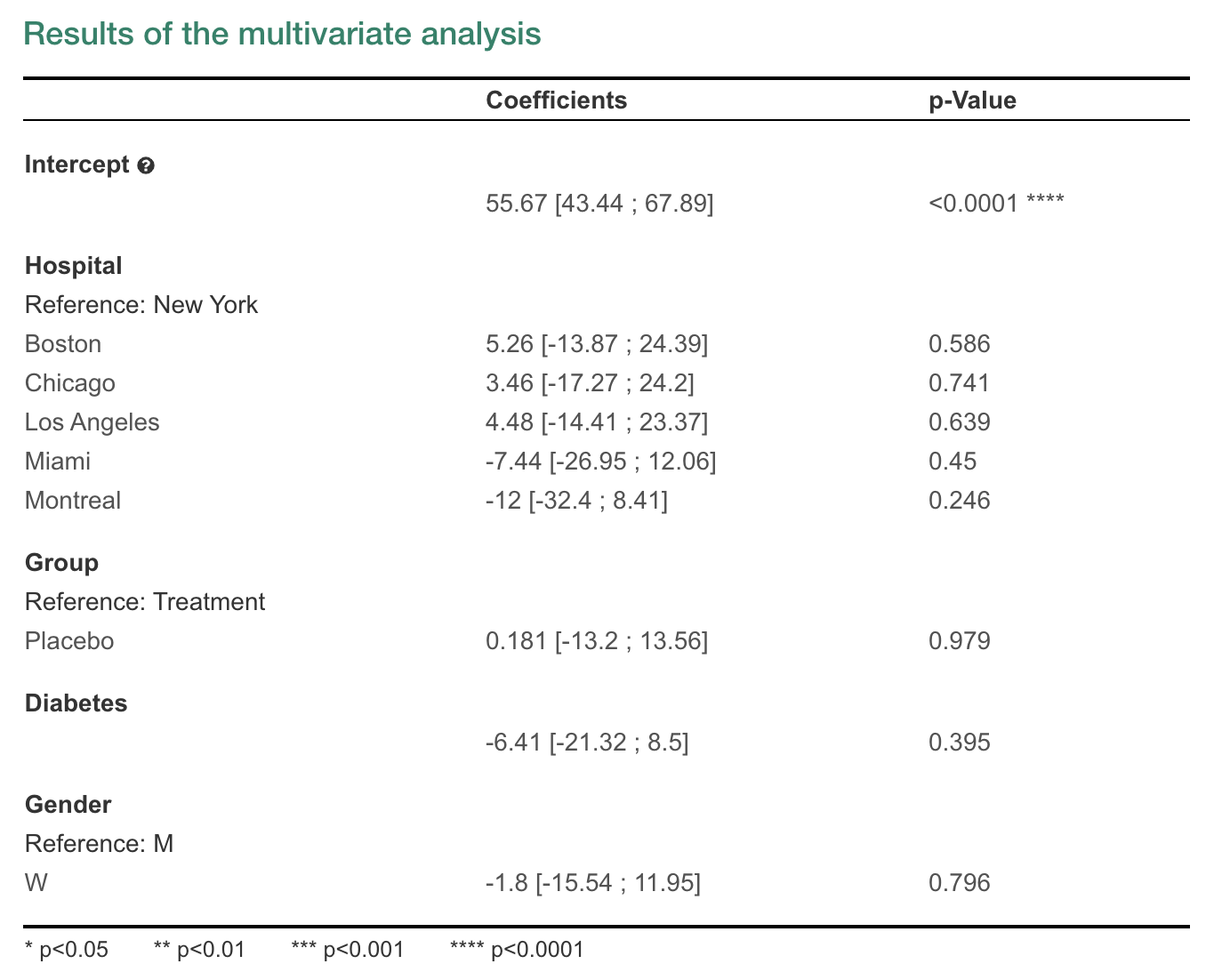
Discover how to perform a multivariate analysis thanks to EasyMedStat, the clinical data software.
Many of you asked for new features in “Test variables”. We have listened to your requests and just released a whole new version of this feature. Many possibilities open up to you with all the improvements we have brought with that release.
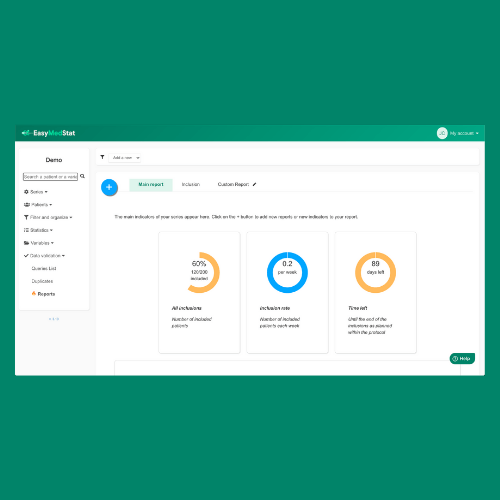
Easily monitor your studies and patient inclusions more precisely with the reports, available on EasyMedStat.
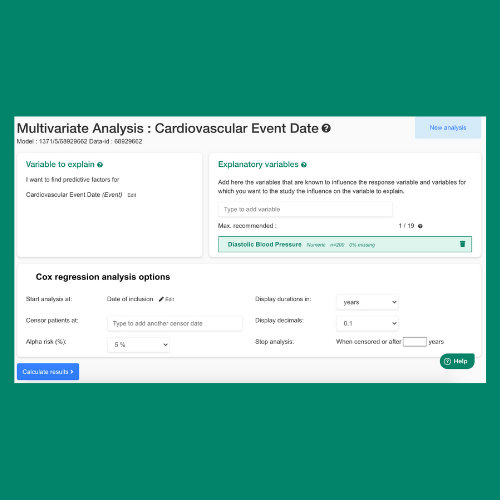
Running a Cox Model easily and in a few clics is now possible with EasyMedStat!
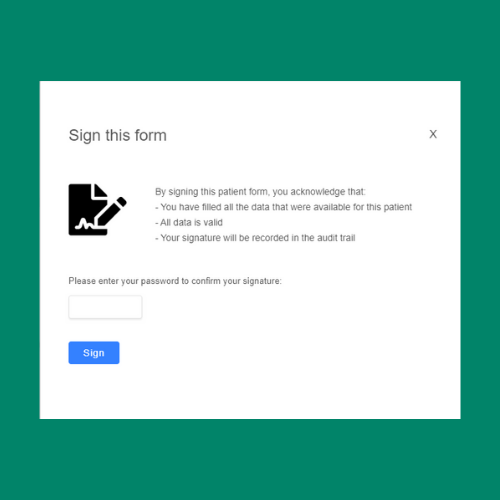
The Sign Verification feature is is allowing every researcher to increase the quality of their research and the security of their data.
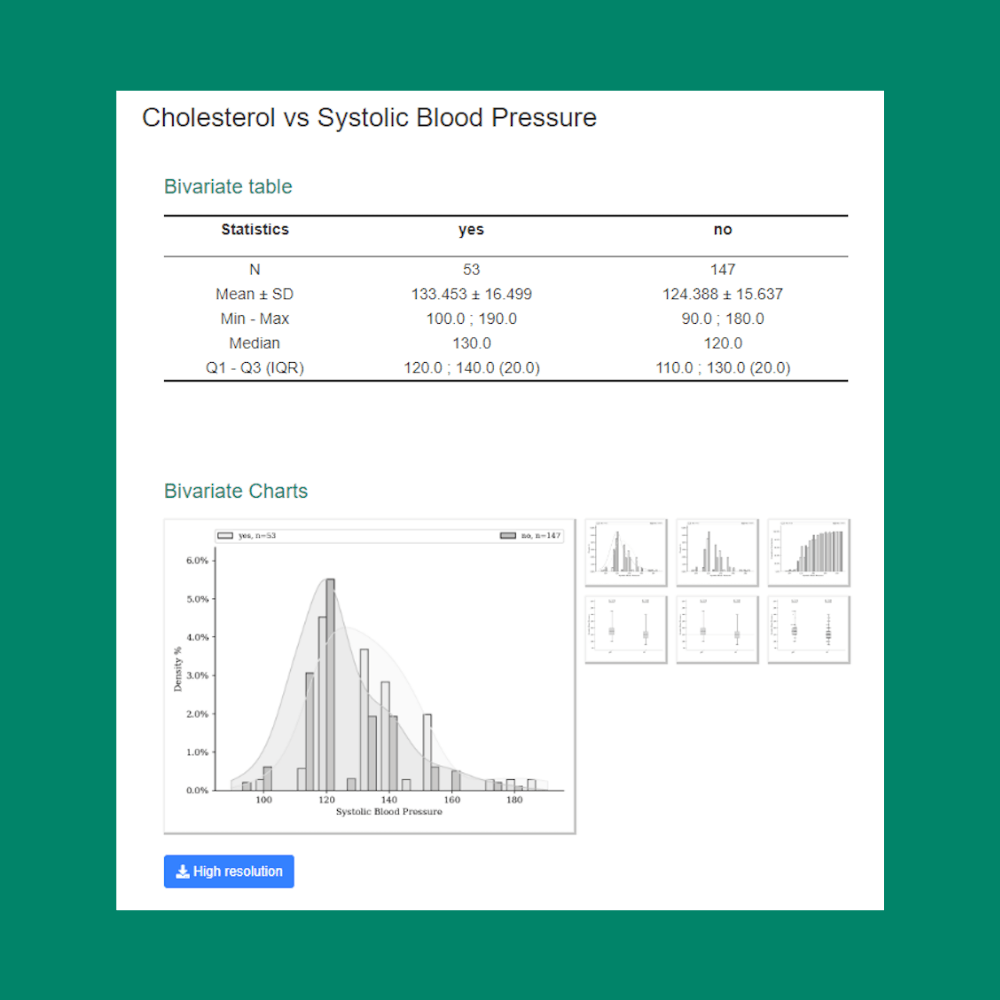
The multivariable analysis gets even better: all your results are now available in a single place for deeper and faster analyses!

You are finally starting this clinical study project that is so important to you. You defined the question you wish to answer, calculated your sample size, established the data you wish to collect, made any prior declarations and identified the participants in your study. Well done to you, this is a great start! Now the delicate question of data collection arises. And the easiest answer to trying to collect your data in a structured way is: a spreadsheet! Unfortunately, this solution, which might at first glance seem attractive, will quickly be confronted with the reality of clinical research. We have tried to compile a - not exhaustive - list of 7 reasons why collecting data from your clinical study in Excel is not a good idea.
Take the onboarding tour now: save time by getting ready straight away.
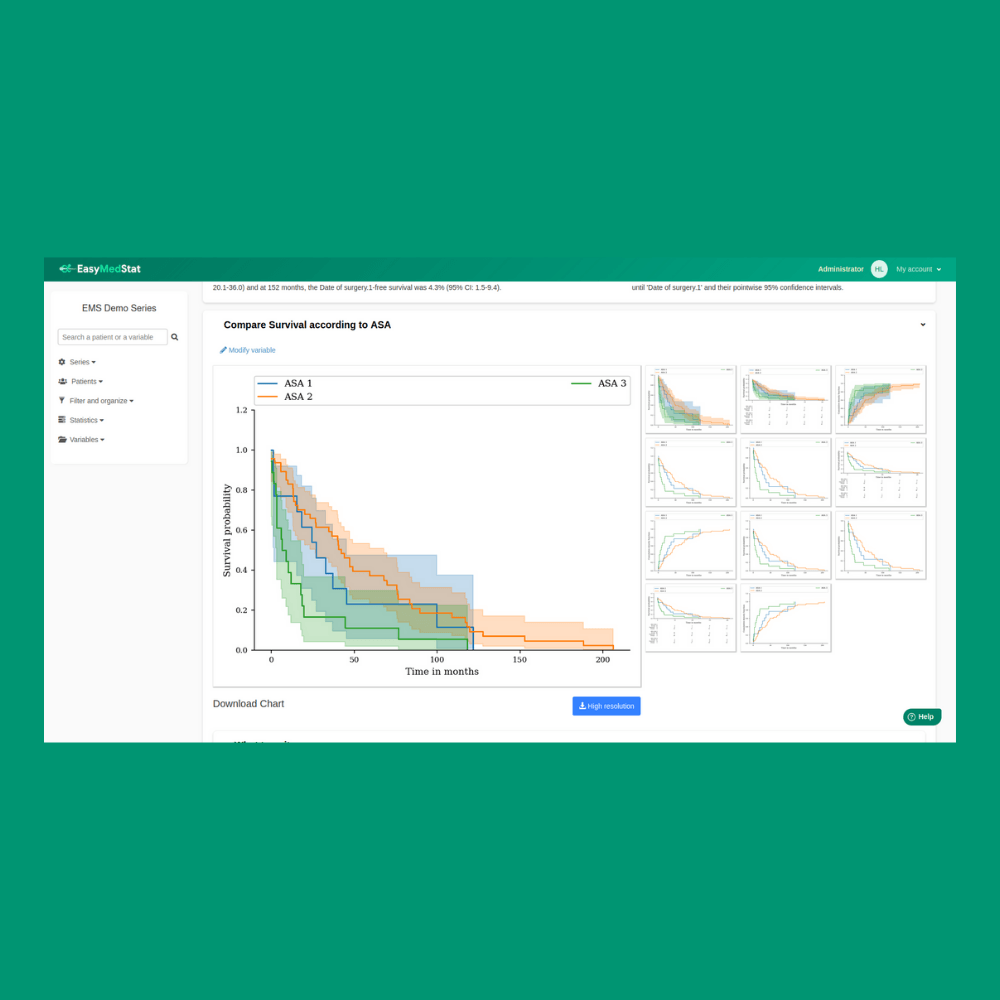
Get a powerful tool to conduct Survival Analysis on EasyMedStat: the new version is much faster, more robust and more professional.

Easily estimate the feasibility of your study with the Easy Sample Size Calculator now available on EasyMedStat: calculate how many patients you need to confirm (or not) for your research hypothesis.

EasyMedStat has evolved. The ultimate goal: advancing Research and making statistics accessible to every researcher with a powerful tool.
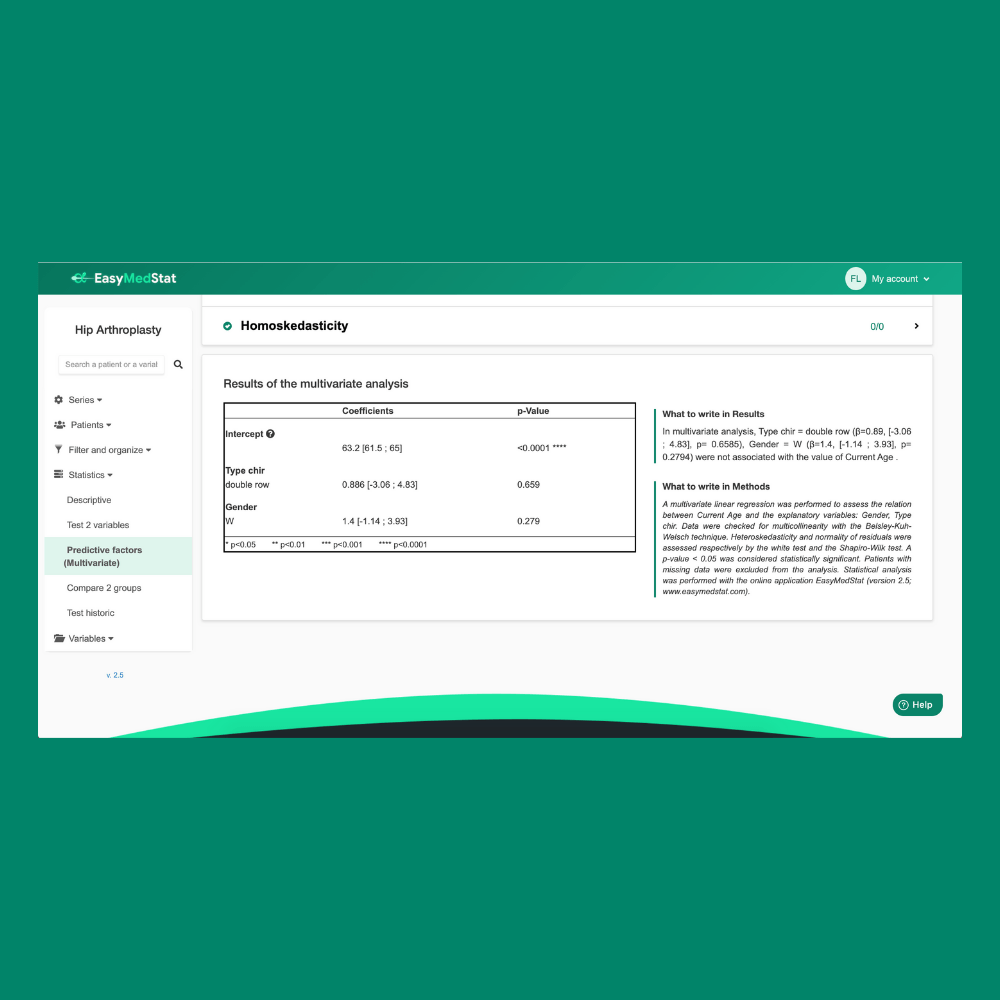
Automated Multivariate Analysis is now available on EasyMedStat, find data patterns and predict events, without statistical knowledge.

We are united by a same commitment at EasyMedStat: advancing medical Research by making statistics accessible to every researcher.
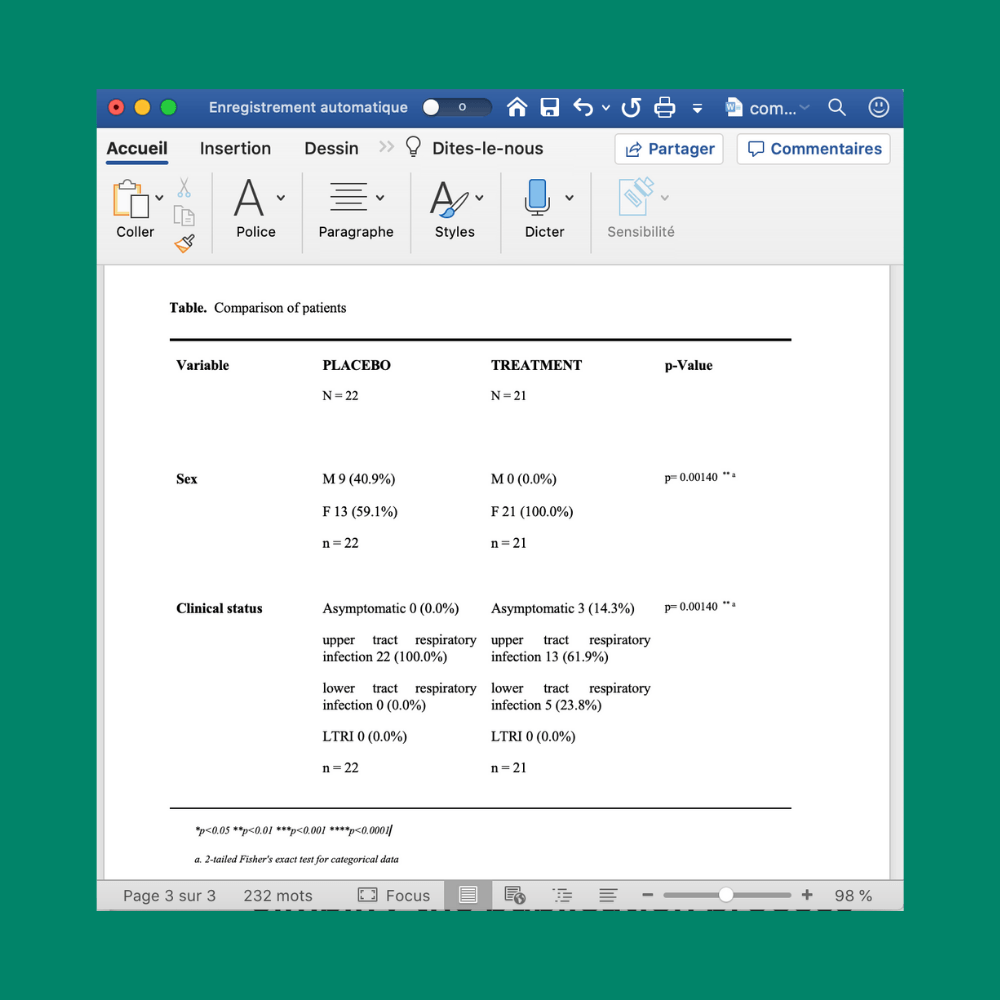
Easily download tables as a docx directly from EasyMedStat for your article and meet scientific journals standards.
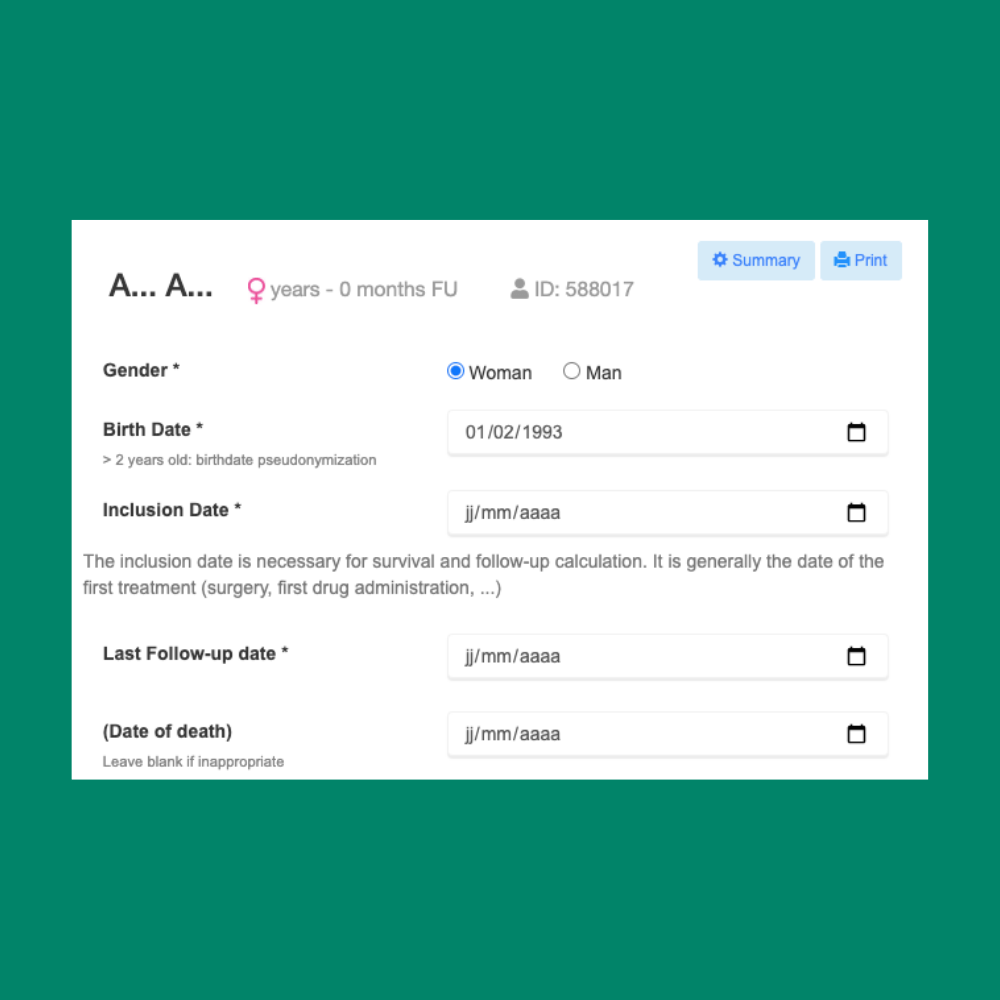
Easily download your patient form as PDF and store your patients’ information out of EasyMedStat.
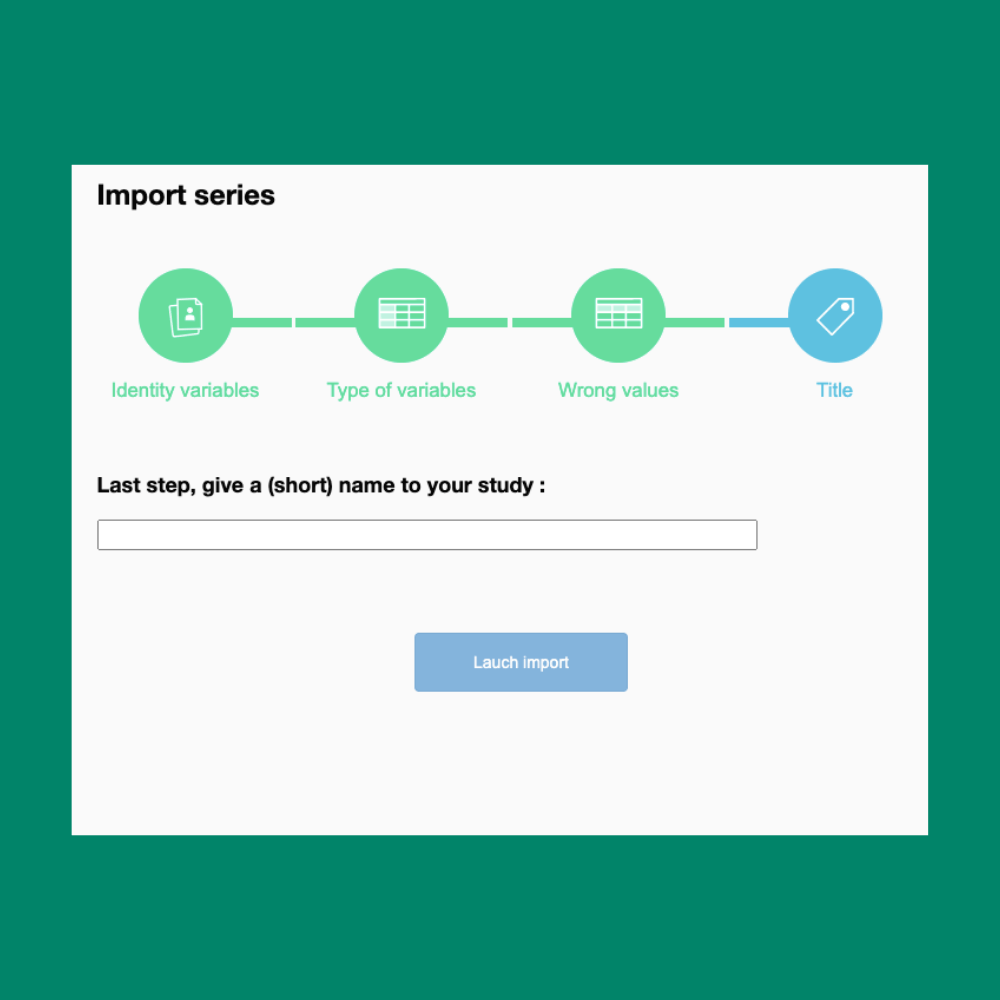
Discover the powerful Import Patient Tool on EasyMedStat and proceed to a seamless import of your patients’ data.

Different navigation improvements have been made to facilitate the platform use without affecting the platform interface.